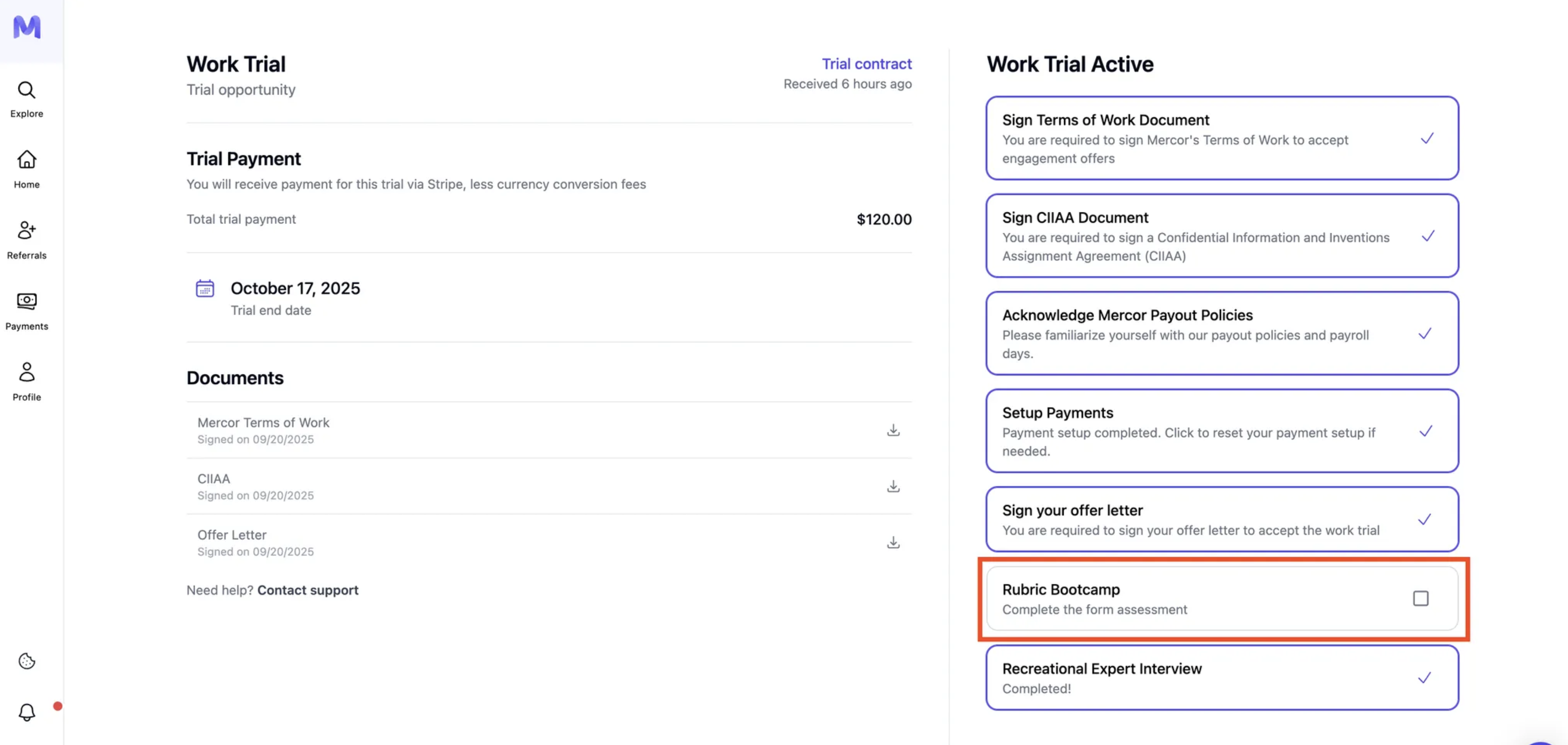
Gain an understanding of how to accept, complete, and receive payment for a Mercor work trial.
Work trials are single, remunerated assessments designed to evaluate talent before an offer is issued. This guide delineates the procedure for accepting your work trial and completing the process systematically.
Each talent is eligible for only one work trial, regardless of the number of offers received.
Single Payout Policy
Talents are remunerated for only a single work trial. Kindly select the one you wish to accept if multiple options have been received.
Choose Before Accepting
Accepting one trial does not automatically cancel your other trial offers — since you’re only paid for one, decline or let the others lapse once you’ve picked the one you want.
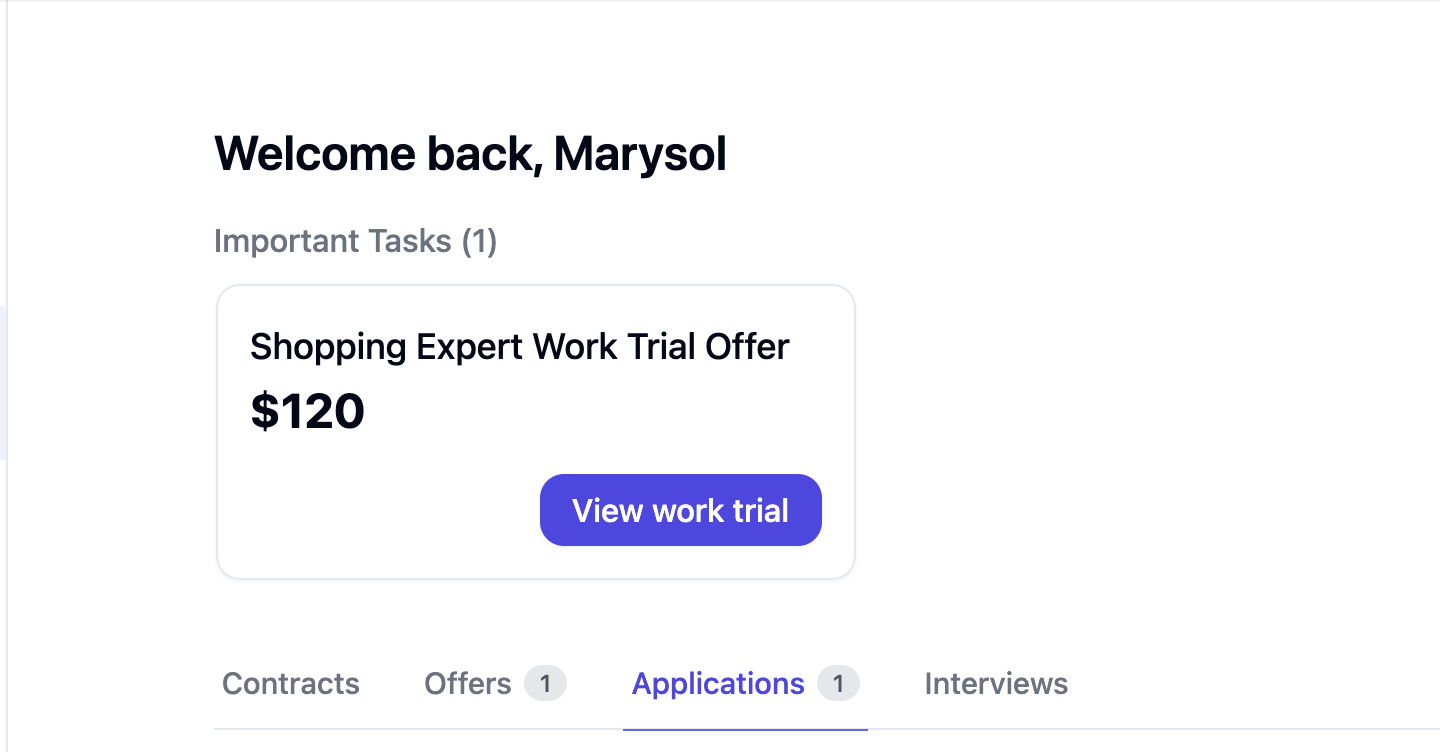
Offers will appear in the Offers tab or under the Important Tasks section.
2
Can't see it?
Please attempt a hard refresh (⇧+Cmd/Ctrl+R), log out and log back in, or try using a different browser. If the issue persists, kindly contact support@mercor.com with the link to the job listing, your email address, and a screenshot.
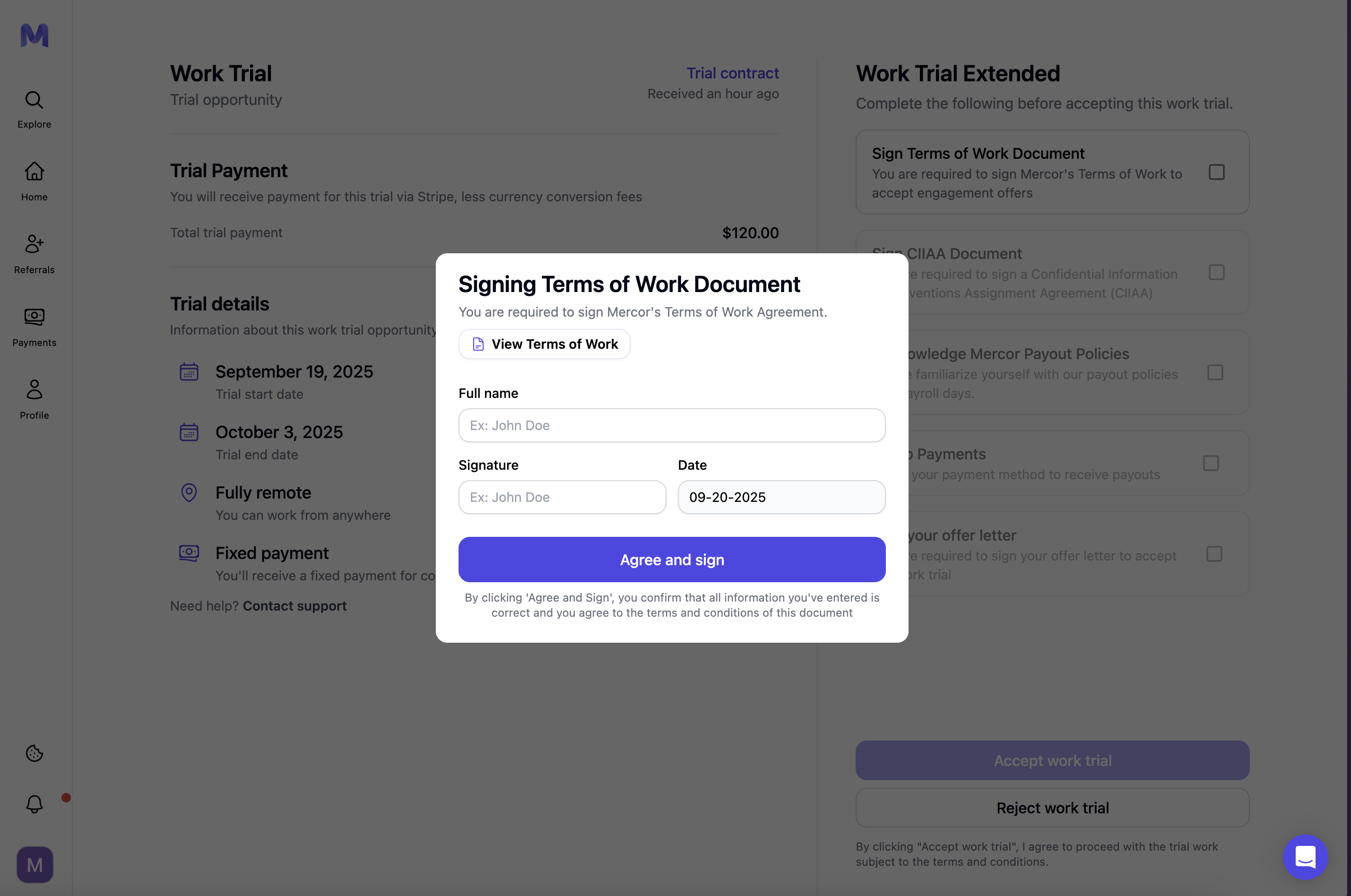
Open the ToW → Fill in the name, signature, and date → Agree and sign.Obliged to accept any engagement or work-trial offer.
2
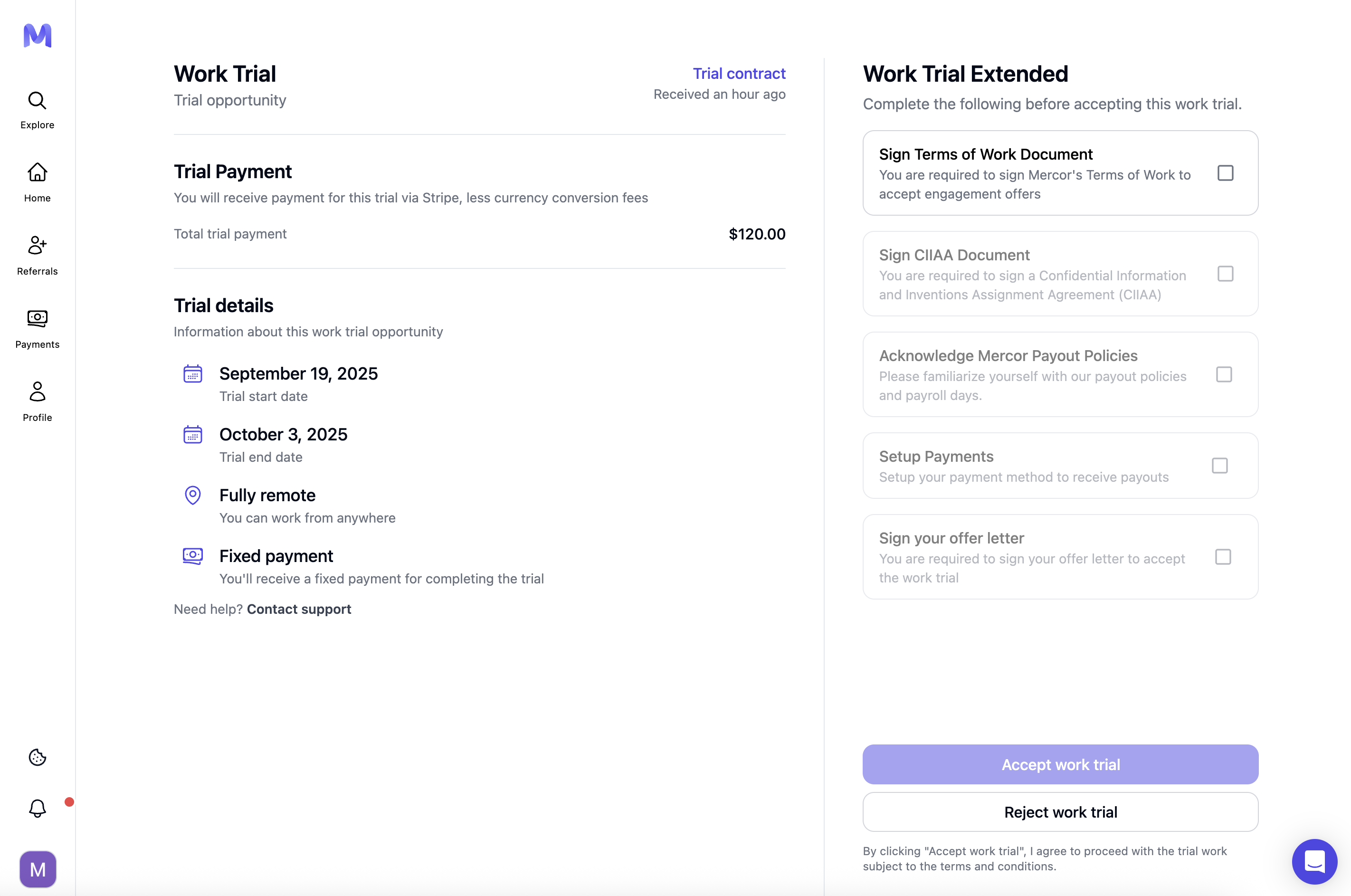
Sign CIIAA document
Please complete the Confidential Information and Inventions Assignment Agreement.
3
Acknowledge Mercor payout policies
The payout policies screen on the work trial checklist points you to the Contracts tab for your contract details. Confirm with Acknowledge terms. See Time Tracking & Pay for the payout schedule, logging requirements and dispute procedures.
4
Setup payments
Click ‘Set up payments’ and then complete your ID verification along with providing your bank details.
Ensure that the beneficiary name corresponds precisely to your identification documents to prevent any payout failures.
Have you selected the incorrect country? Please utilize the Reset Payment Setup feature and recommence the onboarding process.
5
Complete work authorization
The work authorization step on your work trial checklist only appears when your specific trial requires it. If you see it on your checklist, complete it before moving on.
6
Sign your offer letter
Open the offer, review the terms, and then accept and sign to confirm the work trial.
A signed copy will be saved under the Documents section.
Accept work trial stays locked until every other item on the work trial checklist is complete.
Once you accept the offer, your work trial becomes available. Accepting pushes your deadline out by two weeks from the date shown in your offer email — check the Trial end date on your work trial page for your real deadline, since it will be later than the date in the email. Complete it as soon as possible, as the spots are limited and may be filled according to the requests and needs of each project. If your project requires separate access to task materials, request it using the instructions provided for your project; if you do not receive access within 24 hours, contact support@mercor.com. In case of expiration, the matter should be addressed directly by the project lead who assigned the trial work, based on the available slots at that time.
Take a screenshot of the Offer Page (rate and payout terms) before accepting.
Support cannot reinstate missing or expired trials. Work trials have strict deadlines, and only the project lead who issued the offer has the authority to reassign a new one if necessary.
Once your submission is reviewed, payment is typically processed within 14 business days. If you do not receive an update after that, please follow up with support@mercor.com.
After the payout displays as “Paid,” the funds typically are received within 3 to 7 business days.
Your initial Stripe payout is subject to a seven-day hold in accordance with Stripe’s policy.
Active Status: Your status becomes Active the moment you click Accept work trial — not when you start the assessment.
Other statuses: depending on where you are in the process, you may also see Submitted (shown as “Work trial submitted” once your assessments are done), Paid, Extended, Action required, Rejected, or Expired.
Decision and next Steps: Upon submission, the project lead will review your work. Unfortunately, we are unable to provide individualized feedback on your performance.
Possible Outcomes:
Accepted
You will receive a final offer to join the project.
Not Selected
Payment does not depend on whether you are selected for the role — but it does depend on a complete, good-faith submission; trials with assessments show a banner noting that Mercor can withhold payment for low-effort or incomplete work.
In rare cases, a work trial offer may be withdrawn if all slots for the project have been filled, or the trial may be cancelled outright — you will be notified if either happens. If you run into any issue while completing or submitting your trial, please contact support@mercor.combefore your deadline with a detailed description of the issue so we can help before it expires.
A one-time, paid assessment designed to evaluate your performance on a project-like task prior to the extension of a full contract.
Can I get help with the assignment content?
No. Please complete the task independently. Add comments or context in the submission form if needed.
I cannot submit the form. What should I do?
Please clear your browser cache and refresh the page.
My trial is not marked 'Completed' after submitting. What now?
Please allow up to 24 hours for the status update. If the status remains unchanged after this period, kindly contact support and provide your submission details.
I need access to task materials. What should I do?
Some projects require requesting access to task materials separately. If required, request access using the instructions provided for your project. If you do not receive access within 24 hours, contact support@mercor.com.
I received multiple work trial offers. Will I be paid for all of them?
No. Mercor pays for only one work trial per expert, so choose the one you want to accept.
When will I receive my payment?
Once your submission is reviewed, payment is typically processed within 14 business days. If you do not receive an update after that, please follow up with support@mercor.com. After the payout is processed, the exact timing may vary depending on your banking institution.
My work trial offer expired, what now?
Work trials follow strict expiration deadlines. Your real deadline is the Trial end date shown on your work trial page after you accept — accepting pushes this date two weeks past the date shown in your offer email, so always check the page rather than the email. Once a trial expires, it cannot be reopened or extended under any circumstances.The submission window is fixed and automatically closes at the listed expiration time. If your trial expired before the Trial end date shown on your work trial page, take a screenshot and contact support@mercor.com, as this may indicate a system error rather than a missed deadline.
Can a work trial be cancelled?
Yes. Work trials can be cancelled, and candidates will be informed in those scenarios.
Will I receive feedback if I am not selected?
Regrettably, we are unable to provide personalized feedback due to high volume. You will still receive payment if the trial was valid and properly submitted.
What is the distinction between a paid work trial and a contract offer?
The work trial serves as an assessment instrument employed to evaluate candidates prior to extending an offer, whereas a contract offer constitutes the definitive job proposal that formalizes the employment relationship between you and Mercor’s clients.
Does participating in a work trial guarantee a subsequent contract offer?
No, a work trial does not guarantee a contract offer. Following submission, a work trial may be either rejected or accepted based on the quality of your responses. If accepted, an offer will be extended.
How long does it typically take to complete the work trial?
A typical work trial requires approximately four to six hours for completion.
Is it permissible to complete the work trial across multiple shifts?
Yes, you may perform your work trial across multiple shifts. The assessment can be saved incrementally and submitted at a later time, provided that the final deadline is met.
Is Rubric Academy / Bootcamp participation paid during the application stage?
No. Rubric Academy / Bootcamp is only paid when it is part of a work trial or an active contract. Participation during the application stage is unpaid.
Assistant
Responses are generated using AI and may contain mistakes.